
Download AlienGUIse – desktop theme pack, Windows customization, futuristic themes, sci-fi desktop, Windows XP theme, theme manager, system interface redesign, visual overhaul, user-friendly theme switcher, dynamic desktop themes
Overview
AlienGUIse is a desktop theme pack designed to revitalize the Windows operating system interface with visually striking and futuristic aesthetics. Targeted at users seeking a personalized computing experience, it offers a suite of five dynamic themes that transform the look and feel of the desktop environment. The app enables users to move beyond the default Windows XP interface by introducing bold, sci-fi-inspired visual elements across system components such as the start menu, taskbar, system tray, icons, and even the Windows Media Player skin. This comprehensive customization approach allows for a cohesive and immersive redesign of the user interface.
The primary purpose of AlienGUIse is to empower users to express individuality through their desktop environment. It serves as a lightweight utility for those who value visual appeal and enjoy experimenting with system aesthetics. Real-world use cases include personal computers used for creative work, gaming setups, or simply users who want to refresh a familiar interface with a modern, futuristic touch. The app is particularly relevant in the context of personalization tools within the Windows ecosystem, offering a niche yet impactful solution for interface enhancement.
Although the developer did not provide additional background details, the app’s release date of April 23, 2007, indicates its status as an early-era customization tool. Its continued relevance highlights the enduring demand for visual personalization, even in a modern digital landscape. The inclusion of a revert option to restore the classic Windows XP appearance adds a layer of user safety, allowing experimentation without permanent changes.
Key Features & Functionality
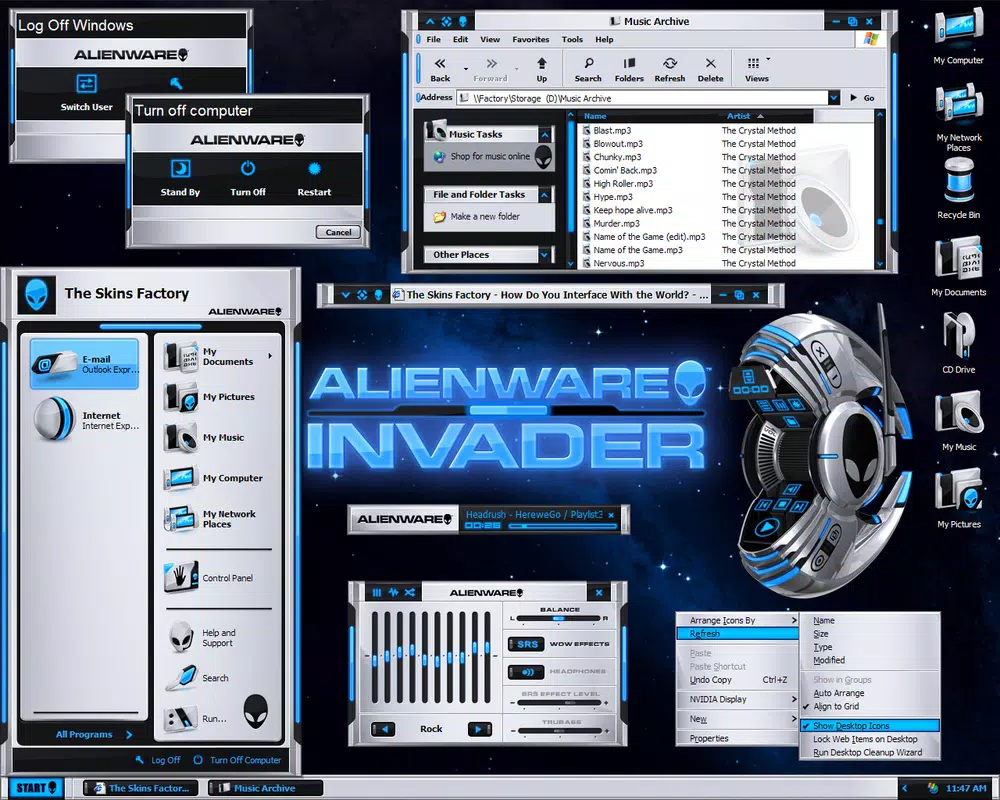
- Futuristic Themes: AlienGUIse includes five distinct themes—XenoMorph, Invader, Darkstar, AlienMorph, and ALXMorph—each delivering a unique sci-fi aesthetic. These themes redefine the visual language of the desktop, incorporating advanced color schemes, stylized UI elements, and dynamic visual effects tailored for a futuristic experience.
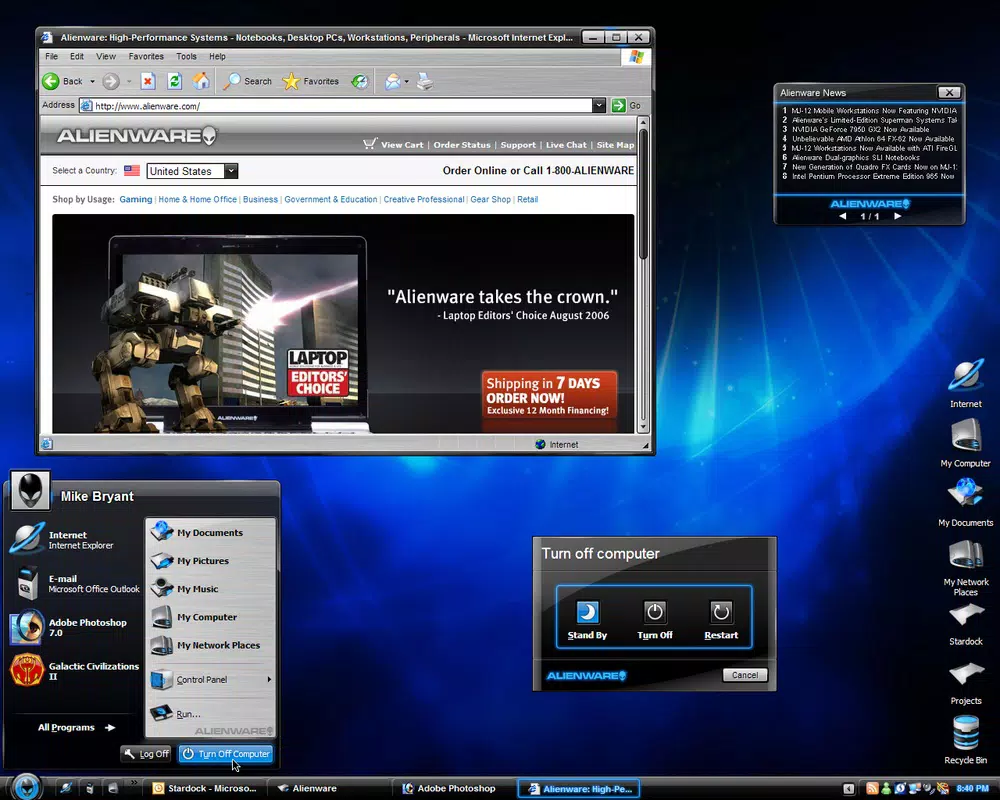
- Comprehensive Customization: Upon activation, each theme modifies core system components including the start menu, taskbar, system tray, desktop wallpaper, icons, and even the Windows Media Player interface. This holistic approach ensures that the entire desktop environment reflects the chosen theme, creating a unified and immersive visual experience.
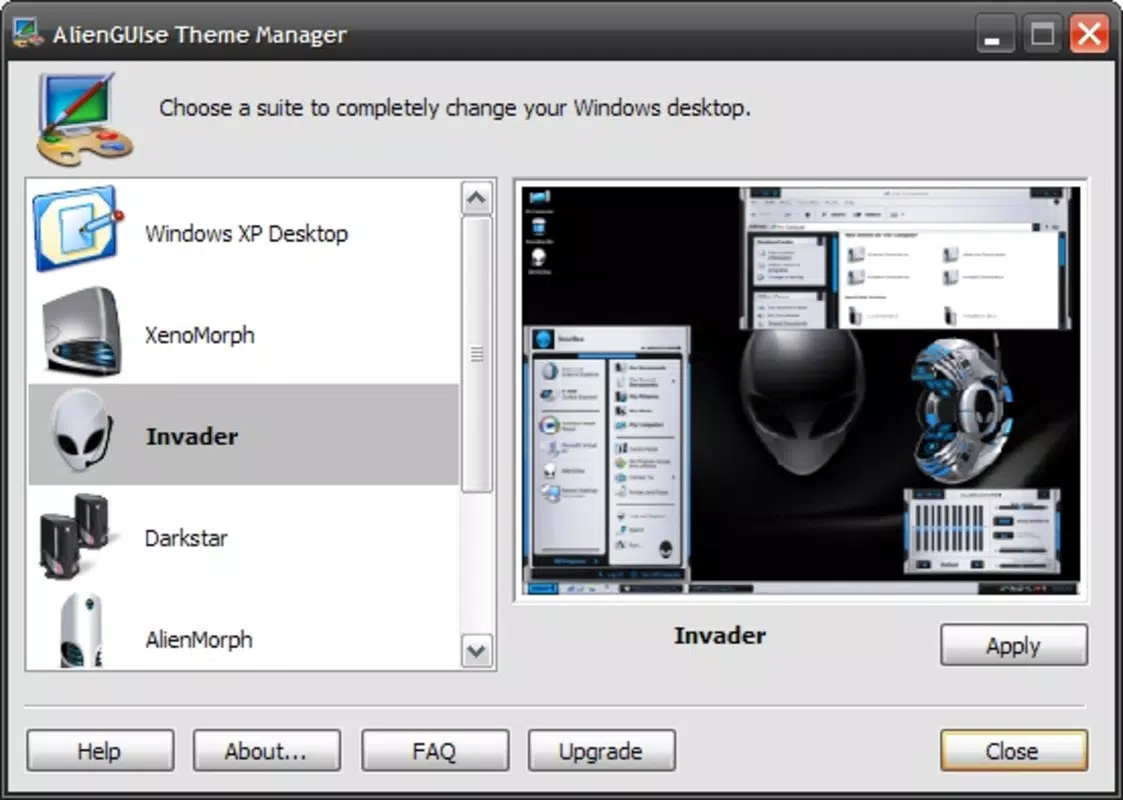
- Easy Theme Switching: The app features a user-friendly theme manager that allows users to switch between themes with just a few clicks. The interface is designed for minimal friction, enabling quick transitions between different visual styles without requiring technical knowledge or system restarts.
- Simple Revert Option: A built-in feature allows users to return to the original Windows XP interface at any time. This functionality provides a safety net for users who may wish to experiment with new looks but want the assurance of restoring their default environment without complications.
- Lightweight Design: With a file size of only 1.2 MB, AlienGUIse is optimized for minimal system impact. It runs efficiently on older hardware and does not require extensive resources, making it accessible to a broad range of users.
For example, a user might choose the XenoMorph theme for a sleek, organic sci-fi look during a creative session, then switch to the Invader theme for a more aggressive, cyberpunk vibe while gaming. The ability to switch seamlessly enhances the app’s usability and reinforces its role as a dynamic personalization tool.
Interface, UX & Performance
The user interface of AlienGUIse is straightforward and focused on simplicity. It presents a clean, minimal theme manager that displays all available themes in an easily navigable layout. Navigation is intuitive, relying on basic click-and-select mechanics, which reduces the learning curve for new users. The app does not feature complex menus or settings, ensuring that the experience remains accessible even to those unfamiliar with advanced customization tools.
Although the developer did not list formal performance metrics, the app’s small file size of 1.2 MB suggests efficient resource usage. It is designed to operate with minimal impact on system performance, making it suitable for use on older or low-resource Windows machines. The responsiveness of the theme switching mechanism is consistent with its lightweight nature, allowing near-instant transitions between visual styles.
Stability appears to be a key design consideration, as the inclusion of a revert function indicates a focus on user control and system integrity. The app does not appear to interfere with core system processes, and its operation is limited to visual layer modifications. However, specific compatibility details across Windows versions were not disclosed, so users should exercise caution when deploying on systems beyond the original Windows XP environment.
Platform Compatibility & Technical Requirements
AlienGUIse is designed for the Windows platform and is compatible with Windows XP, as indicated by its release date and theme focus. The app requires no additional software or system prerequisites to function. It is distributed as a standalone executable with a file size of 1.2 MB, making it easy to download and install.
The developer did not specify minimum OS requirements beyond the platform. As such, users should verify compatibility with their specific Windows version before installation. While the app was released in 2007, its lightweight design may allow it to function on later Windows versions, though this is not guaranteed. No official support for modern Windows versions such as Windows 10 or 11 has been documented.
Due to the lack of detailed technical specifications, users are advised to proceed with caution when running the app on updated systems. The absence of digital signatures or modern security protocols in older software may raise concerns for users with strict security policies.
Pros and Cons
Pros
- Lightweight design with minimal system impact (1.2 MB)
- Five unique, visually distinctive futuristic themes
- Intuitive theme manager with easy switching between styles
- Revert option to restore original Windows XP interface
- Comprehensive visual overhaul across system components
- Free to download and use
Cons
- Compatibility with modern Windows versions not confirmed
- No official support or updates since 2007
- Developer background not disclosed
- Security protocols and digital signatures not verified
- Limited to Windows XP environment
- No in-app update mechanism or version tracking
FAQ
Is AlienGUIse safe to download and install?
While the app is free and widely shared in retro computing communities, users should exercise caution when installing software from 2007. It lacks modern security verification, so scanning with antivirus software is recommended before use.
Can I use AlienGUIse on Windows 10 or Windows 11?
The developer did not provide compatibility details for Windows 10 or 11. The app was originally designed for Windows XP, and its functionality on newer systems is not guaranteed.
Does AlienGUIse require administrative privileges?
The developer did not specify permission requirements. However, since it modifies system interface elements, it may require elevated access to function properly.
How do I revert to the original Windows XP desktop?
AlienGUIse includes a built-in revert option that restores the default Windows XP interface. This feature is accessible through the theme manager and allows users to return to the original look at any time.
Are the themes customizable beyond the default settings?
Specific customization options were not listed. The app appears to offer fixed theme variations, with no documented support for user-defined color schemes or layout changes.
Final Thoughts
AlienGUIse remains a notable example of early desktop personalization tools, offering a bold visual overhaul for Windows XP users. Its blend of futuristic themes, intuitive switching, and a reliable revert function makes it a compelling choice for enthusiasts of retro computing and sci-fi aesthetics. While its age and lack of modern support present limitations, its lightweight design and free availability continue to attract niche audiences.
For users who value creative expression and enjoy experimenting with system interfaces, AlienGUIse delivers a unique and satisfying experience. It stands out as a rare tool that balances visual impact with usability, even decades after its release.
Download AlienGUIse now


